Structure the work.
Focus on what matters.
A personal task manager for professionals. Organize everything you’ve planned. Then give your attention only to what actually matters.
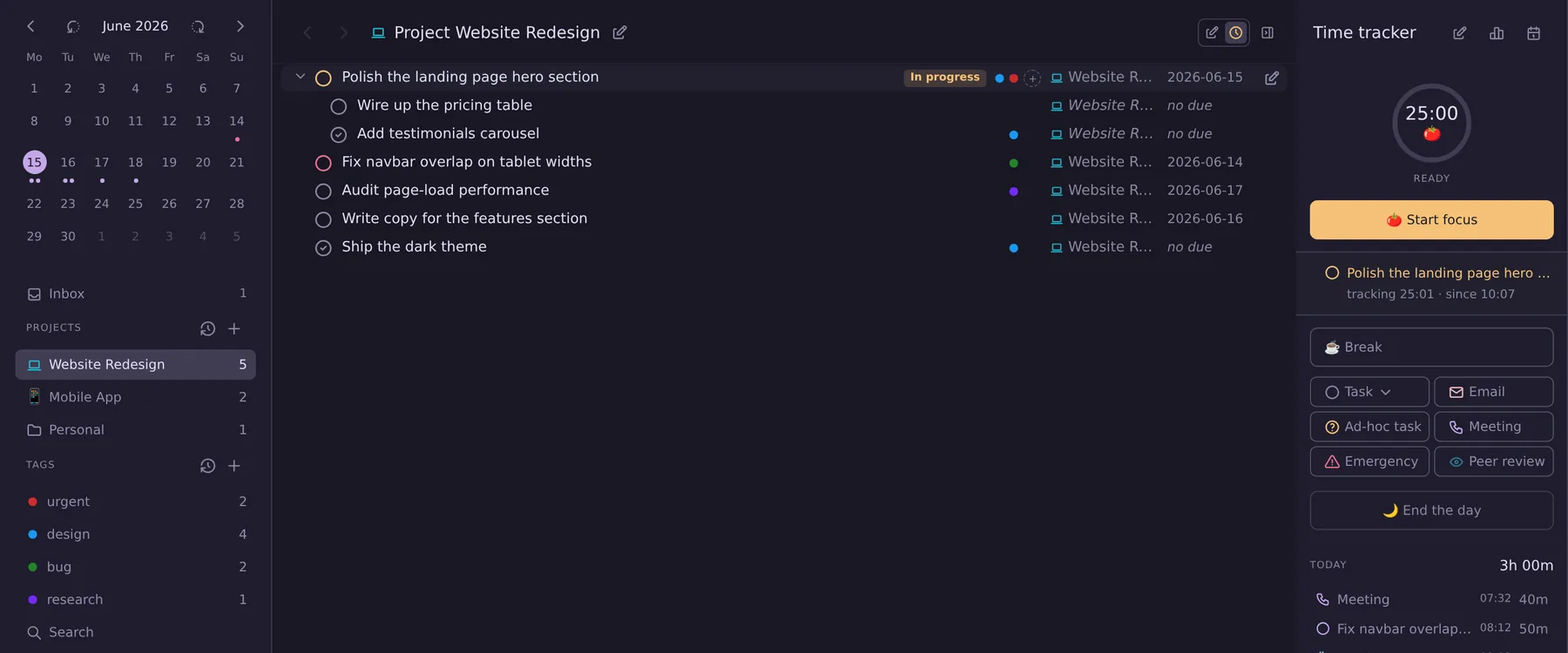
Every commitment in its place.
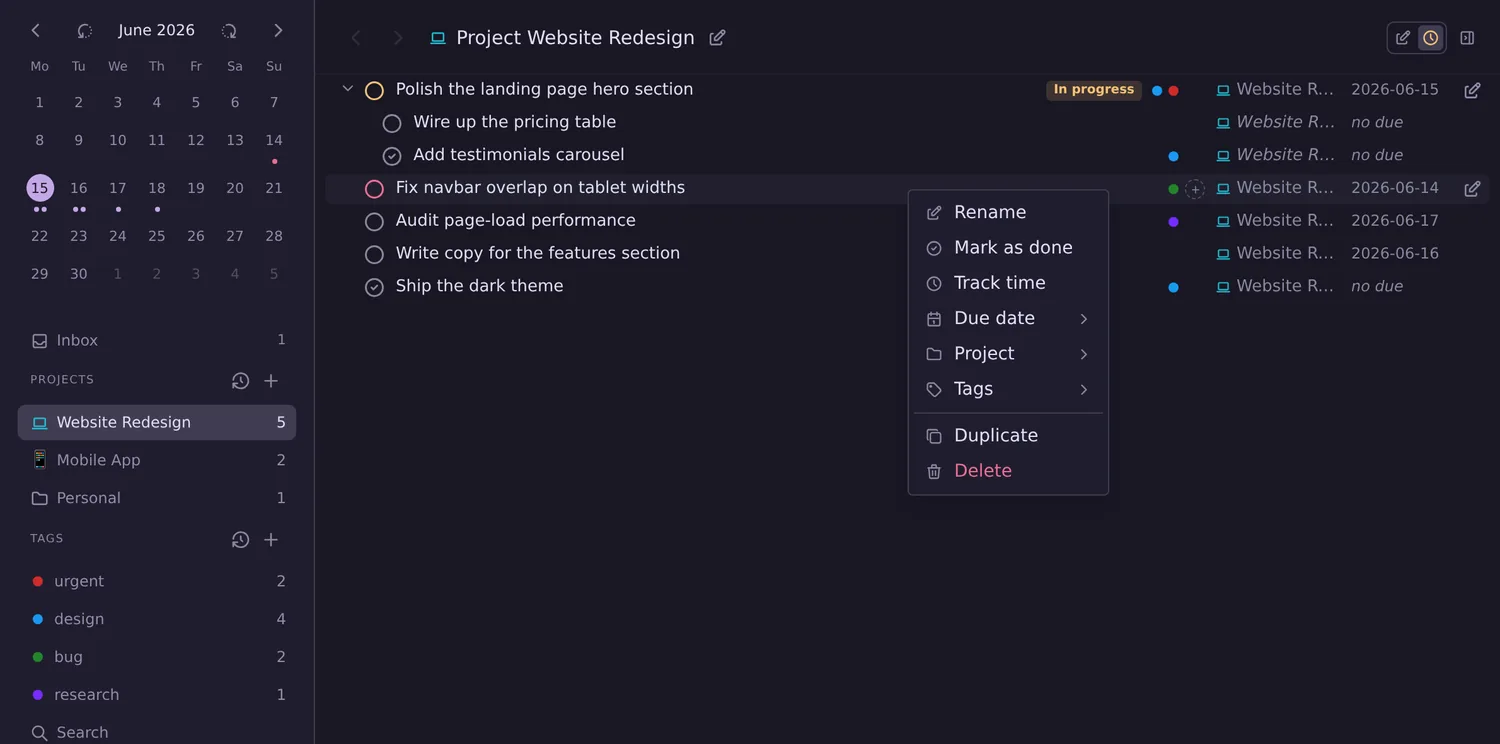
Perspectives, projects, and tags give you exactly as much structure as the work demands. Group by project or context, filter to a single focus, and keep everything else out of view — so the plan stays legible no matter how much is on it.
- Perspectives for any view of your work
- Projects, groups & nested sub-tasks
- Tags & contexts to slice across projects
- Drag-and-drop to reorganize anything
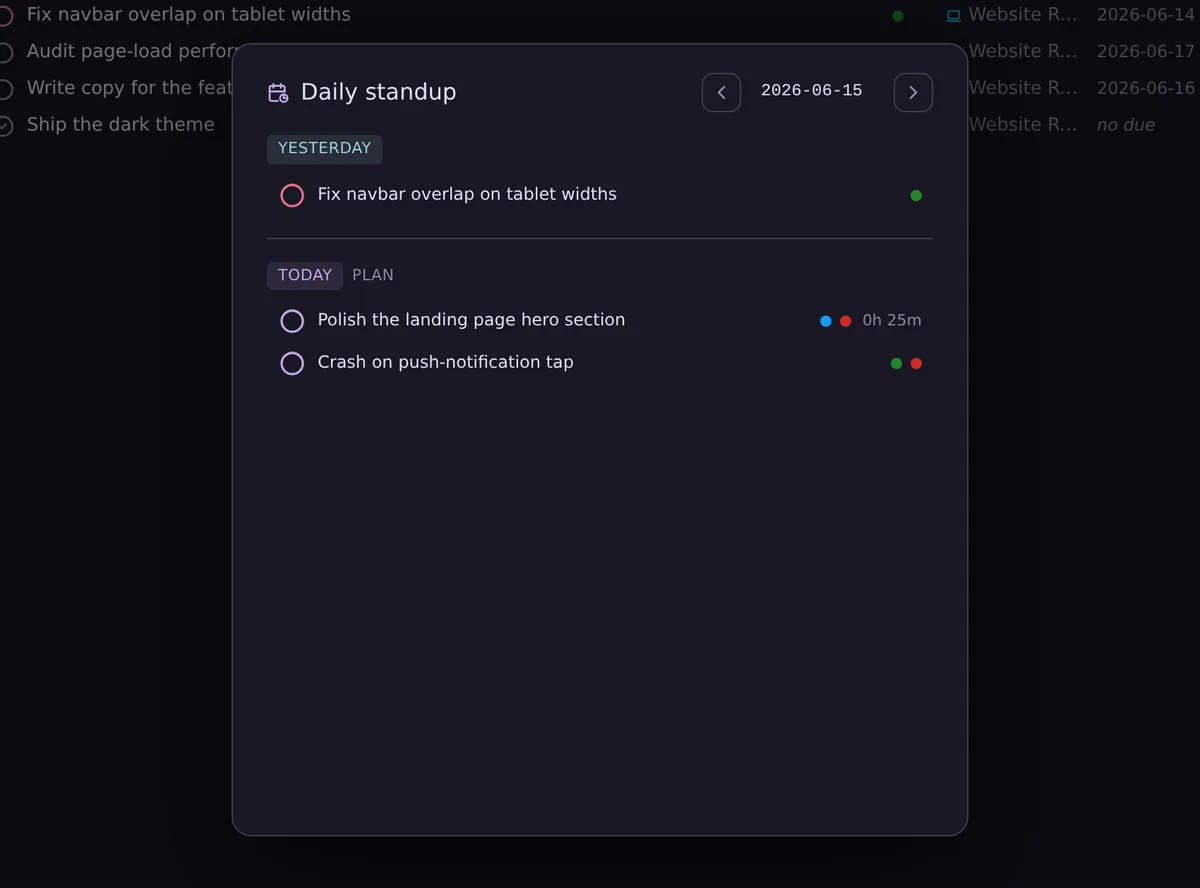
A deliberate start, every morning.
Open the daily view and the day comes into focus. Yesterday’s time records and everything you planned sit right above today’s plan — so you review, adjust, and commit before the first task begins.
- Yesterday's records & totals at a glance
- See planned vs. actually done
- Set an intentional plan for today
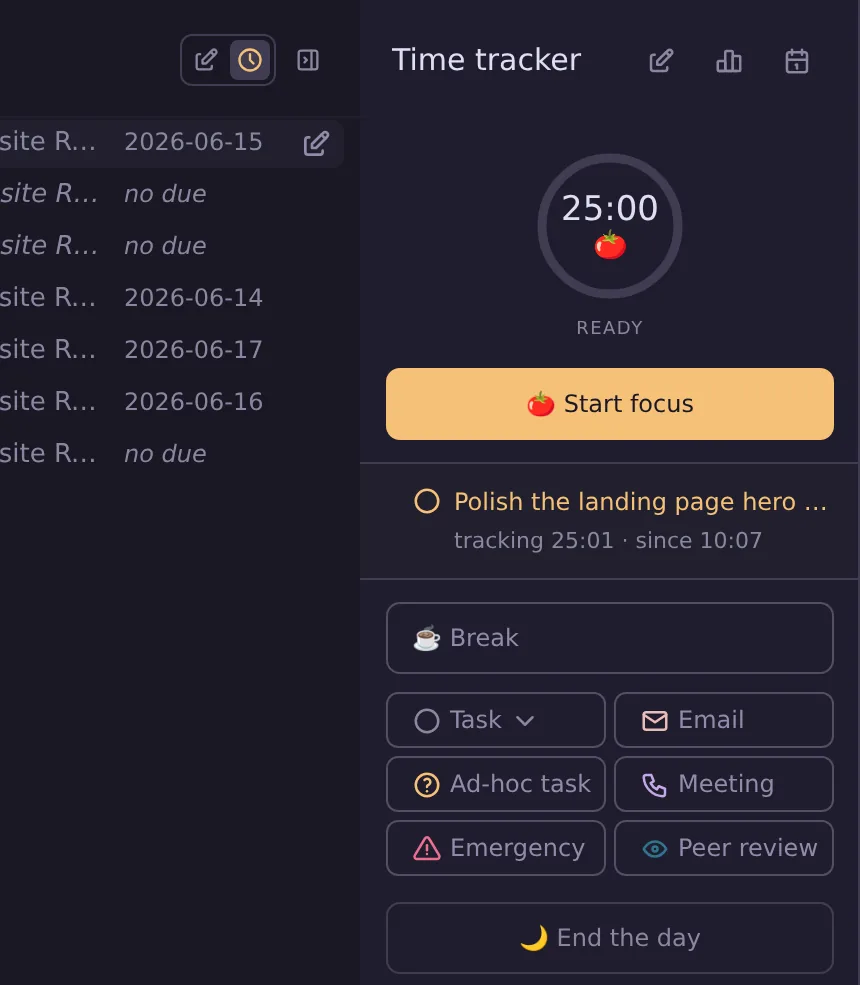
One pomodoro at a time.
A built-in Pomodoro timer keeps you honest with your attention. Start a session on any task, take structured breaks, and let the day build from focused intervals instead of vague busyness.
- Structured focus & break intervals
- Every session logged to your day automatically
See where the time actually goes.
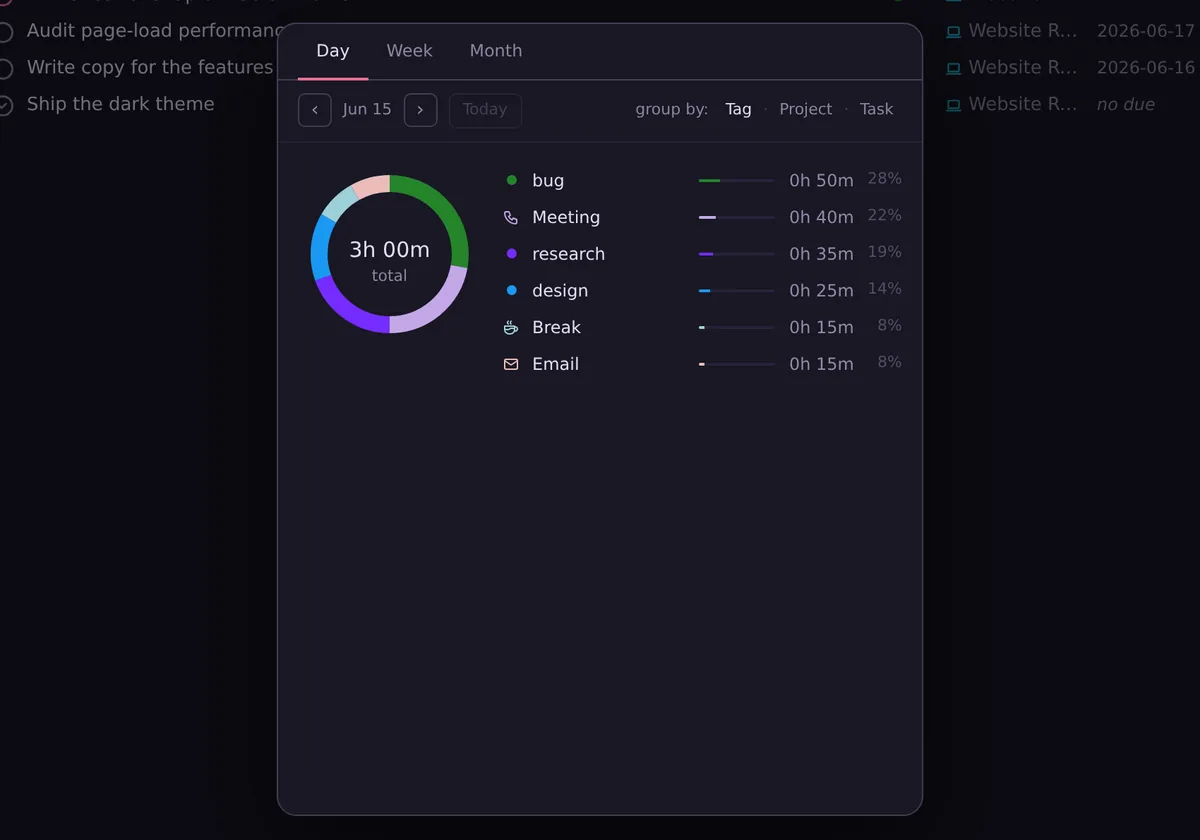
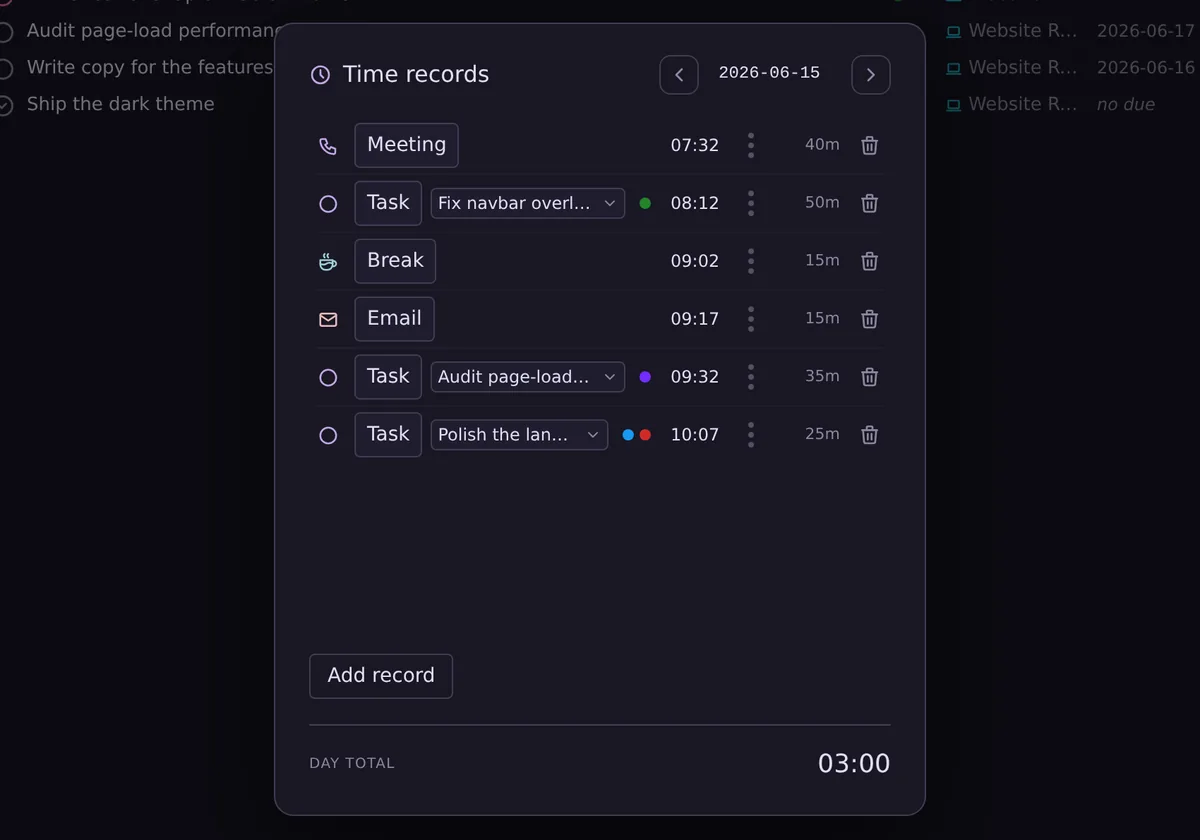
Every session is tracked automatically. Break the week down by tag, project, or task, review the day’s records, and use real numbers to analyze and optimize your effort.
Command it however you think.
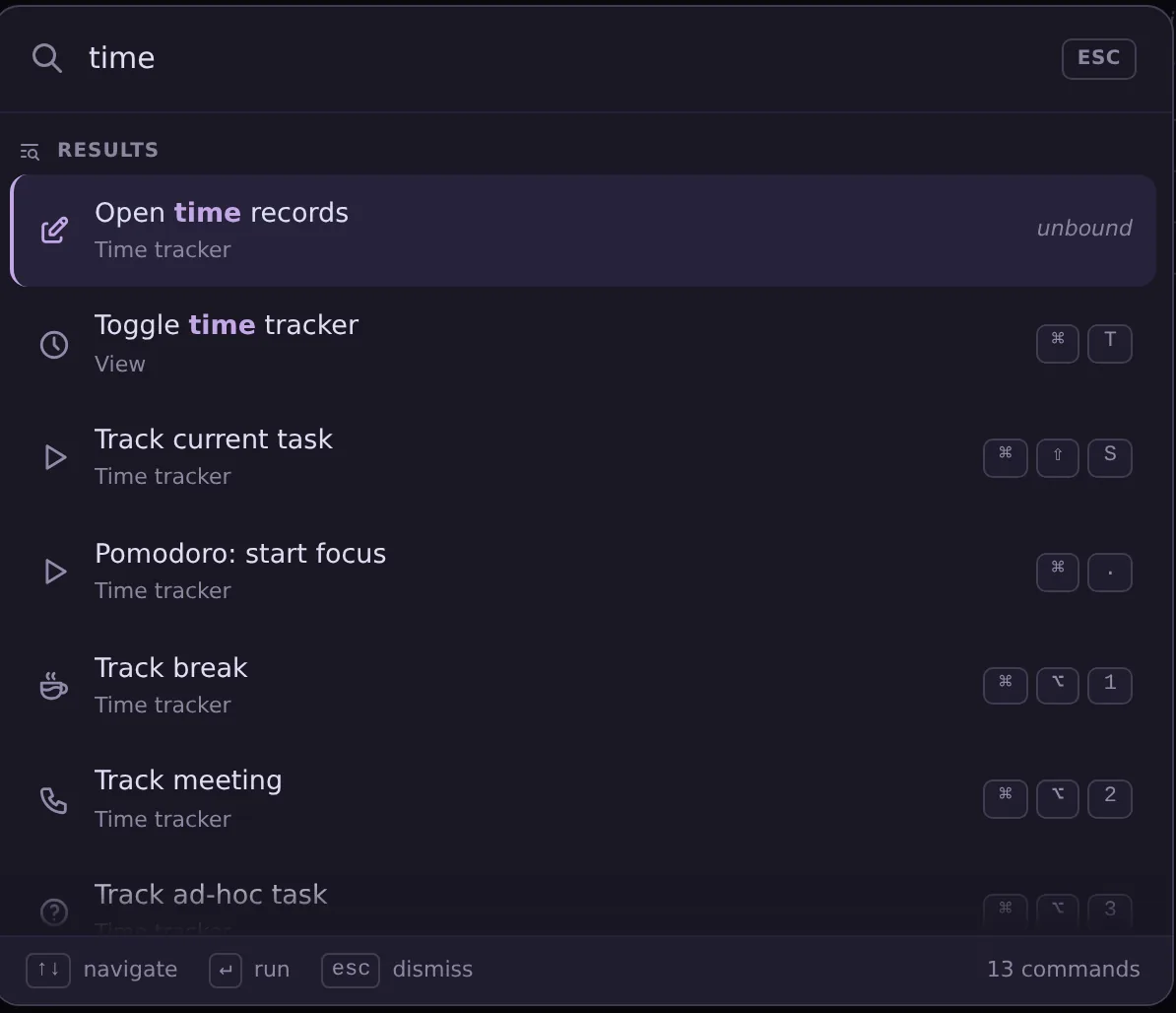
Full control with the mouse or the keyboard. Drag to organize, learn the shortcuts for speed, or open the command palette to run any action by name. The app bends to your preference — not the other way around.
- Full mouse control with drag-and-drop
- Keyboard shortcuts for every action
- Command palette to run anything by name

Bring your focus back.
A calmer, more deliberate way to manage everything you’ve committed to. Free to try.